

Plinko
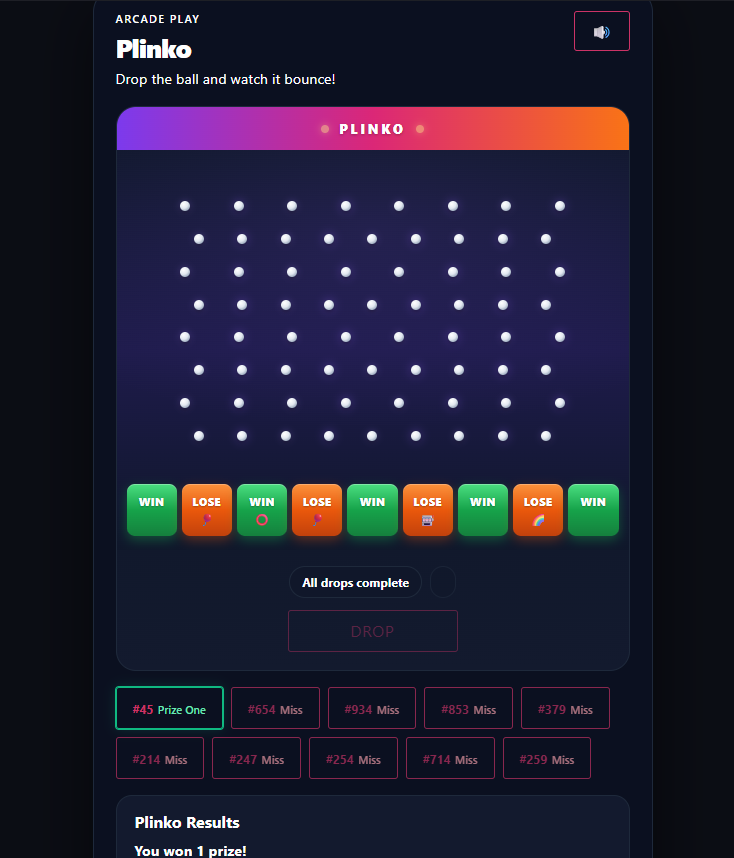
Plinko drops a chip through a pin board on the thank-you page — it bounces down and lands in a slot at the bottom. Land on a prize slot and the ticket wins. It’s one of the Giveaway Lottery instant-win mini-games.
Requires: WooCommerce and the free Giveaway Lottery plugin (Pro for auto-generated numbers and full prize delivery). See Instant Win Games — Shared Setup for the complete setup process; this page covers what’s unique to Plinko.
The Game
- Each purchased ticket is one ball drop.
- The ball bounces through the pegs into a bottom slot.
- Win: the ball lands in a prize slot showing the prize icon.
- Miss: the ball lands in an edge/decorative slot.
Where to Configure It
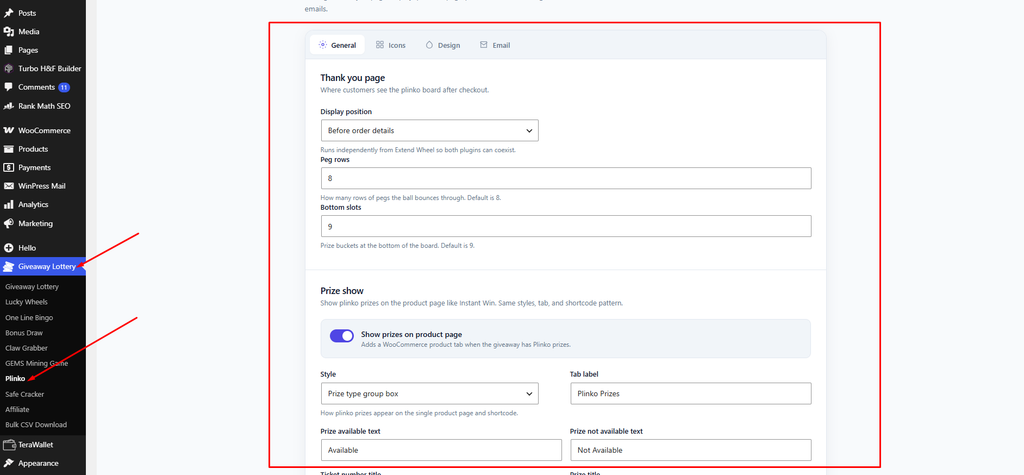
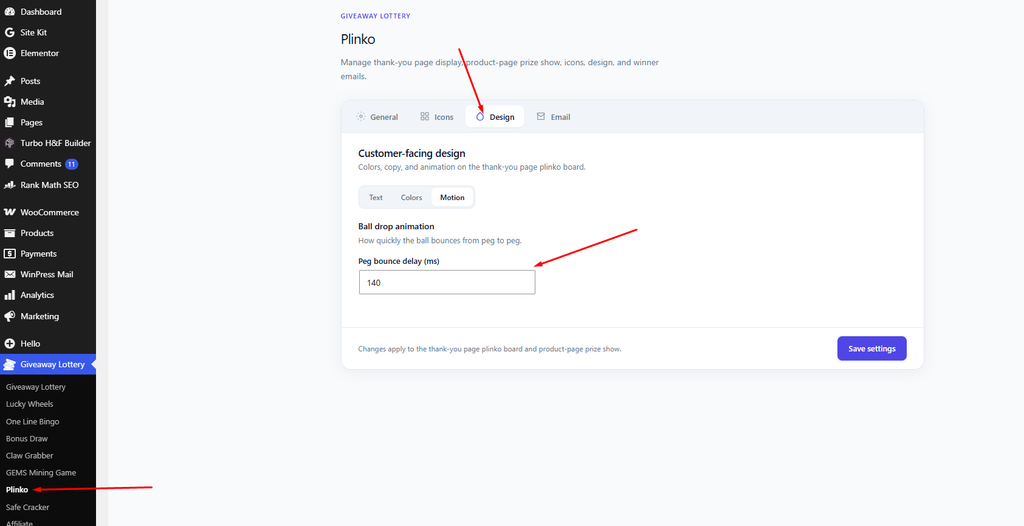
- Global settings: Giveaway Lottery → Plinko
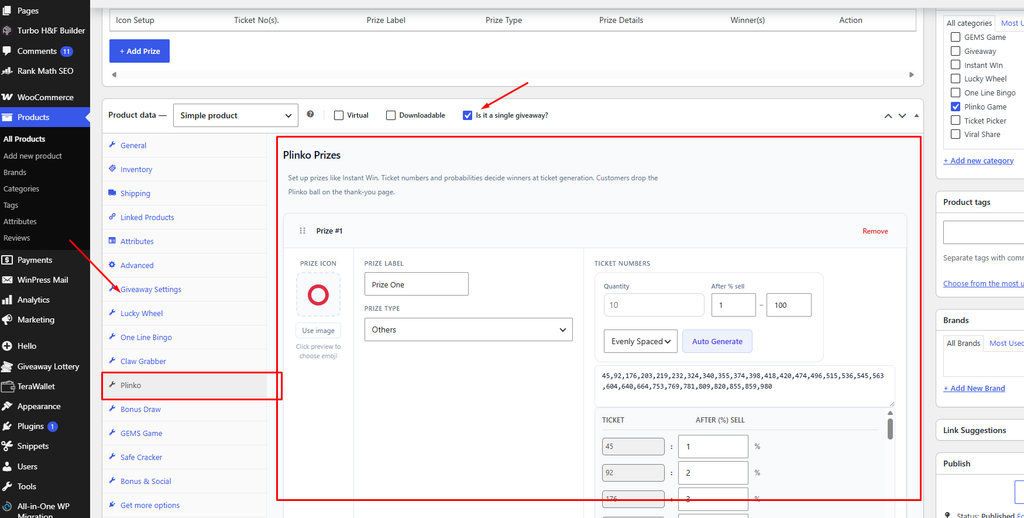
- Per-product prizes: the Plinko tab on the product
Plinko-Specific Settings
- Peg rows (General tab) — number of peg rows on the board, 5–12 (default 8).
- Bottom slots (General tab) — number of landing slots, 5–13 (default 9).
- Peg bounce delay (ms) (Design → Motion) — bounce speed (default 140).
- Plinko game icons (Icons tab) — icons for missed drops.
- Plinko ball color / highlight (Design → Colors) — the chip’s appearance.
- Inside Instant Win toggle: “Enable Plinko inside Instant Win”.
Shortcode
Show the prize list on any page:
[gep_plinko_prizes]Pro tip: More peg rows make the drop path look more random and exciting; keep the slot count odd so a center “grand prize” slot sits directly under the drop point.