Skip to content

Preparing your giveaway experience…

Hot Deal

Spin & Grab 100% OFF

Get Powerful Giveaway Lottery Plugin & More Exciting Tools Limited time

00 Days
00 Hrs
00 Min
00 Sec
Claim now
  1. Home
  2. Docs
  3. Giveaway Lottery
  4. Campaign Types
  5. Quiz / Question & Answer Section

Quiz / Question & Answer Section

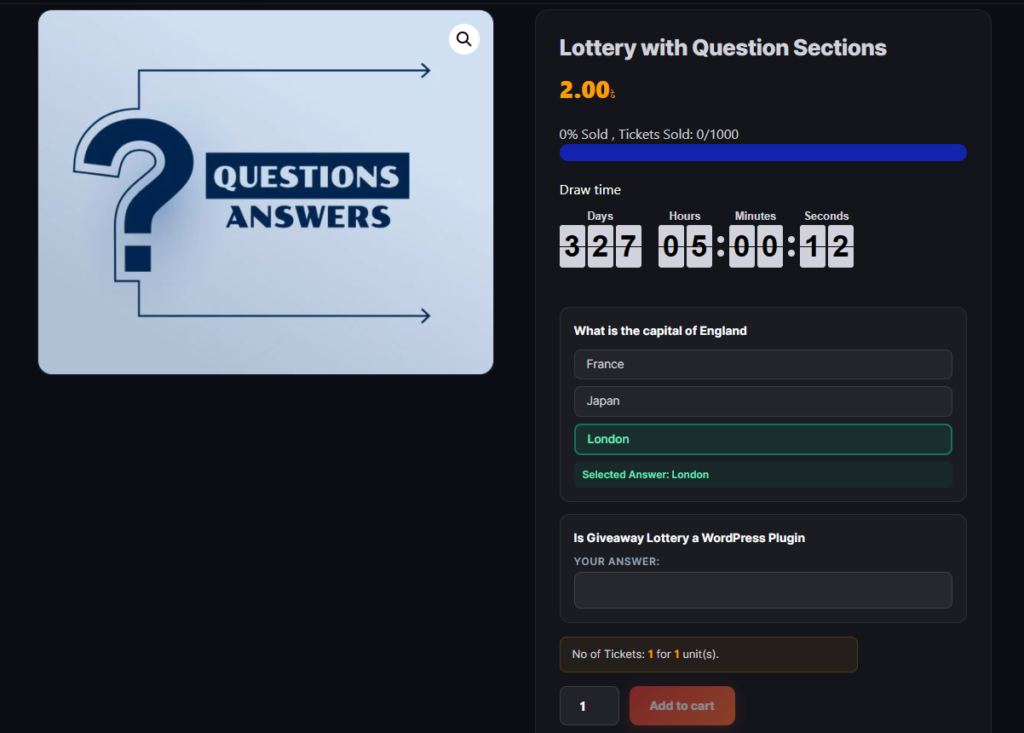
Add interactive questions on the product page before customers can add tickets to cart. Use this for quiz-style giveaways, skill-based contests, or collecting information.

Step-by-Step Setup

  1. Edit your giveaway product.
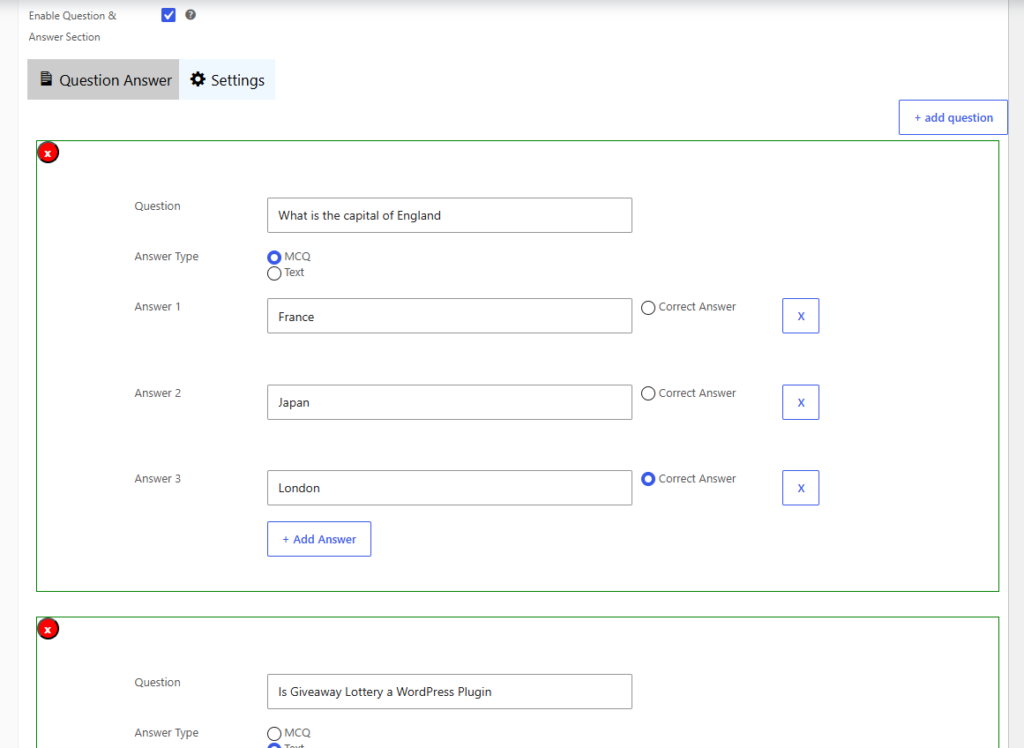
  2. In Giveaway Settings, check Enable Question & Answer Section.
  3. Click Add Question.
  4. Choose question type:
    • Multiple Choice (MCQ) — Customer picks one answer; you can mark a correct answer for quiz contests
    • Text — Customer types a free-text answer
  5. Enter the question text and answer options.
  6. Add more questions if needed.
  7. Save the product.

[INSERT IMAGE: Q&A builder on product edit page]Admin showing question list with Add Question button and MCQ/Text type selector.

[INSERT IMAGE: Q&A section on front-end product page]Customer view showing questions above the Add to Cart button.

Customer answers are saved with their order and visible in the admin order details and My Account.


How can we help?

Wait…

Spin & grab 100% off

Check your luck — grab exclusive discounts on advanced Woo plugins, or better luck next time.

Click to Win
No spam. Limited-time offer.
//
Verified by MonsterInsights