
Reward Rules & Free Tickets
Reward Rules let you automatically give customers free tickets and reward points based on their shopping behavior. This builds loyalty and encourages repeat purchases.
What Are Reward Points?
Reward points are like store credit for giveaways. Customers earn points from purchases, reviews, sign-ups, lucky wheel wins, and instant wins. They can redeem points for free tickets or other rewards you configure.
Reward Tiers
The system includes four default tiers (you can rename them):
- Bronze — Entry level
- Silver — Mid level
- Gold — High level
- Platinum — Top level
Each tier can have different point thresholds.
Step-by-Step: Create a Reward Rule
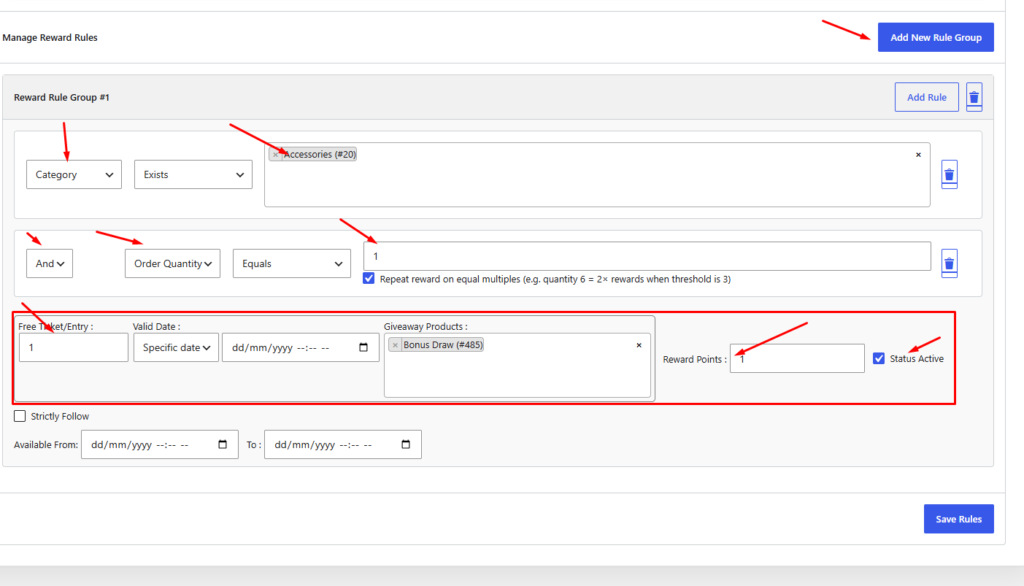
- Go to Giveaway Lottery → Reward rules tab.
- Click Add Reward Rule Group.
- Set conditions — when should this rule apply?
- Specific product purchased
- Product category
- Minimum order amount
- Minimum order quantity
- Customer user role
- Date range (promotional period)
- Set the reward:
- Number of free tickets to award
- Number of reward points to award
- Which giveaway product the free tickets apply to
- Set Status Active
- Save the rule.
Enable Free Ticket Acceptance on a Giveaway
For customers to use their free tickets on a specific giveaway:
- Edit the giveaway product.
- In Giveaway Settings→ Ticket settings, enable Allow free tickets on selected giveaways.
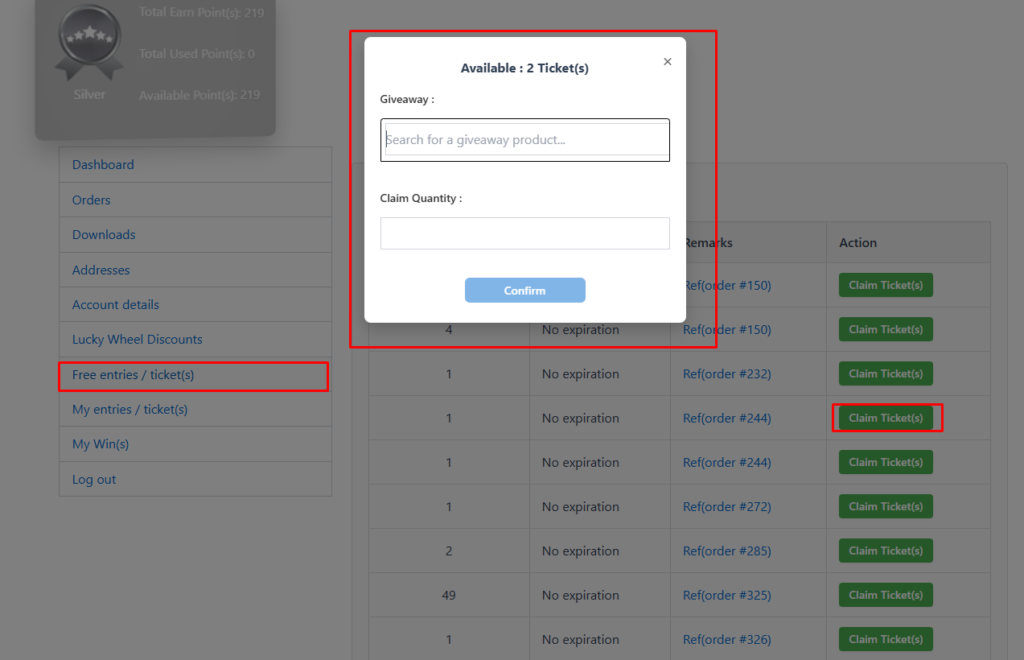
- Customers with available free tickets can allocate them from My Account → Free entries/ticket (s).
Other Ways to Earn Points
Configure in Reward rules tab:
- Points for product reviews
- Points for new account sign-up
- Points from Lucky Wheel wins
- Points from Instant Win prizes
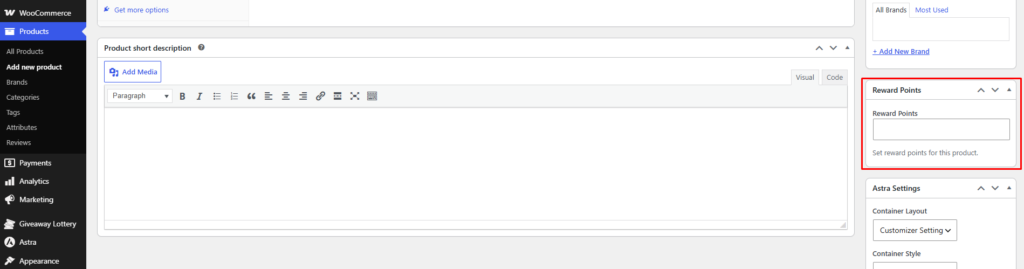
- Points from individual products purchase