Winner Reveal & Live Draw
The Winner Reveal page is where your audience watches the draw happen. It includes a countdown timer and animated winner announcement.
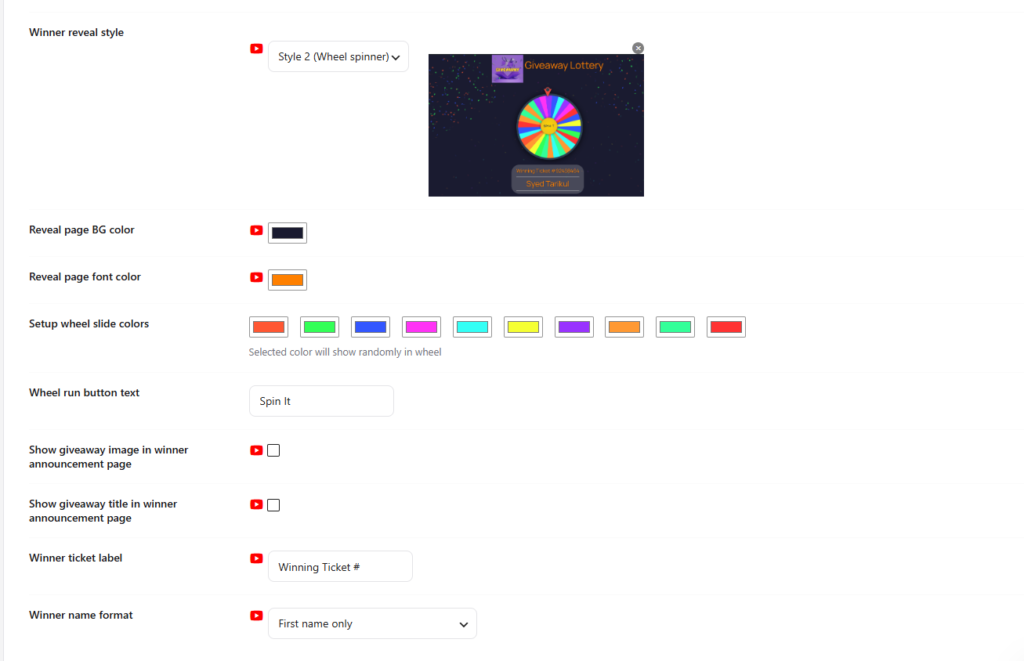
Two Reveal Styles
| Style | Available In | Description |
|---|---|---|
| Style 1 — Fireworks | Free & Pro | Countdown timer followed by fireworks animation revealing the random winner. Great for automated online draws. |
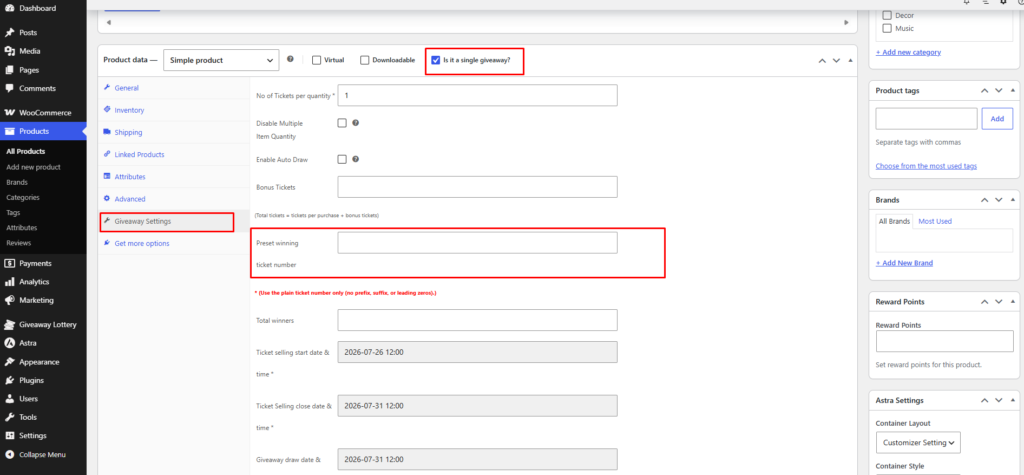
| Style 2 — Wheel Spinner | Pro only | Live wheel spin animation for winner selection. Perfect for live streaming on YouTube, Facebook, or Instagram — share your screen and spin the wheel live! |
Setup the Winner Reveal Page
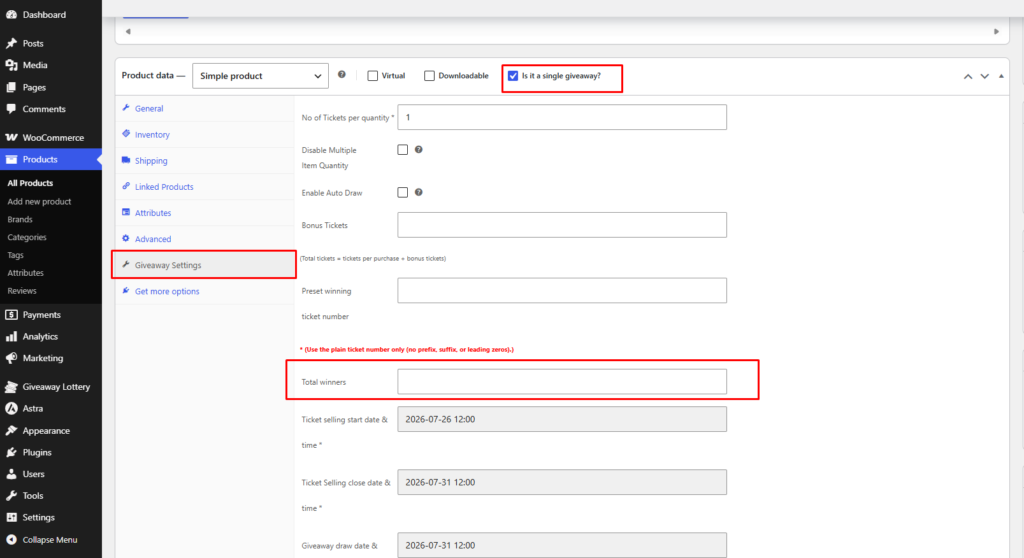
- Go to Giveaway Lottery → Winner tab.
- Select your Winner Reveal Page (or let the plugin create one automatically).
- The page must contain shortcode:
[wxg_winner_reveal] - Choose reveal style (Style 1 or Style 2).
- Customize button colors and labels for “Winner Reveal” buttons on product/shop pages.
- Enable Auto Draw on individual products OR run draw manually from the reveal page.
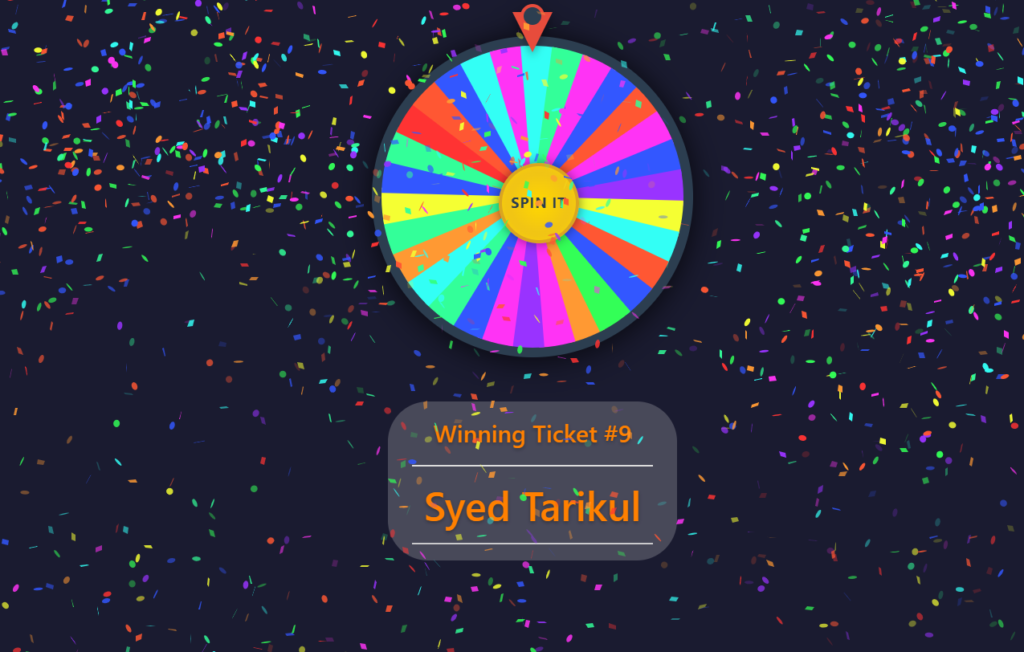
- For multiple winners: set Total winners on the product PRO and reload the reveal page to pick additional winners.
Pre-Define a Winner (Pro)
For fixed-result campaigns, VIP rewards, or internal contests:
- Edit the giveaway product.
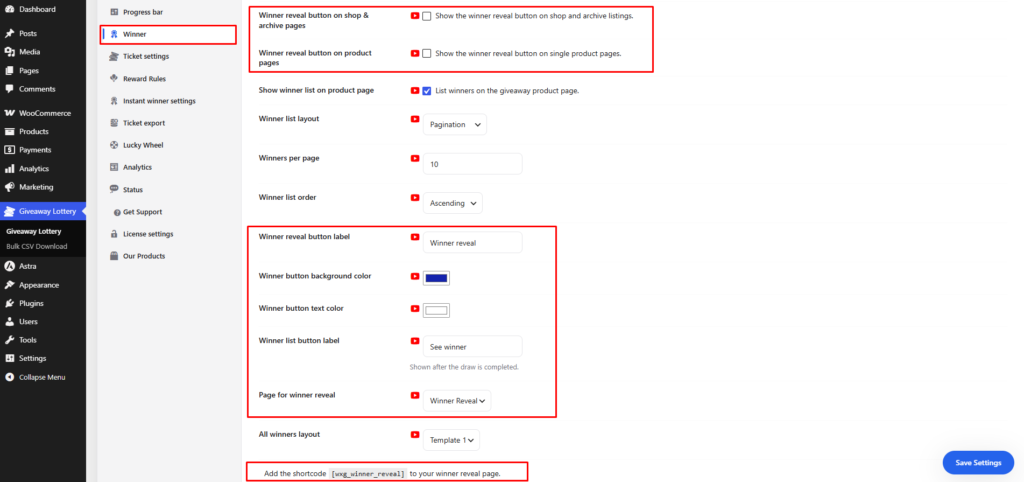
- Find Preset winning ticket number in Giveaway Settings.
- Enter the exact ticket number that should win.
- When the draw runs, this ticket is selected as the winner.