

GEMS Mining
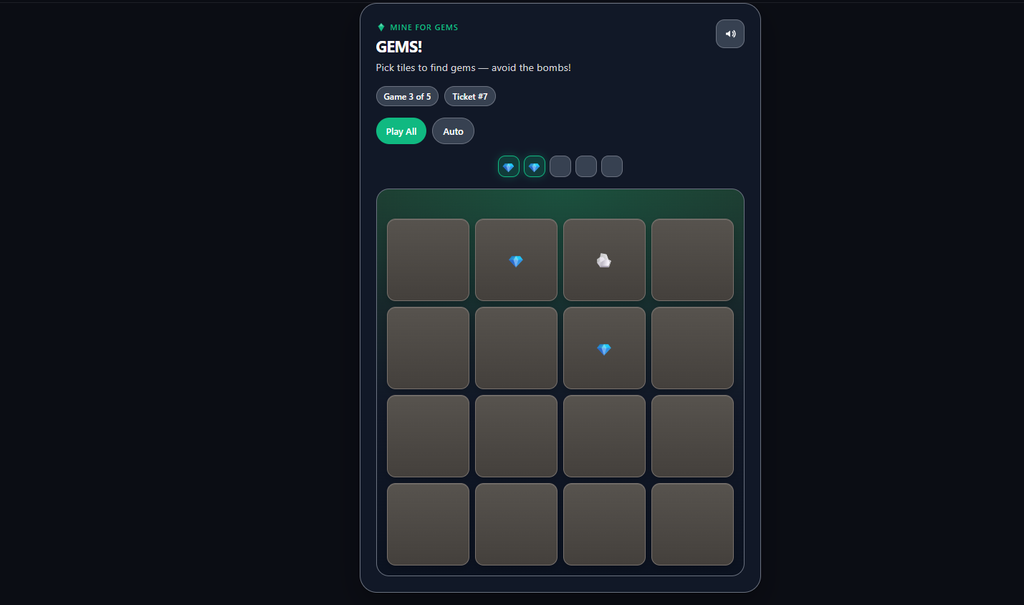
GEMS Mining is a dig-and-reveal instant-win game. On the thank-you page the customer picks tiles on a grid to uncover gems — find enough gems before hitting a bomb and the ticket wins. It’s one of the Giveaway Lottery instant-win mini-games.
Requires: WooCommerce and the free Giveaway Lottery plugin (Pro for auto-generated numbers and full prize delivery). See Instant Win Games — Shared Setup for the complete setup process; this page covers what’s unique to GEMS.
The Game
- Each purchased ticket is one game on a tile grid (minesweeper-style).
- The customer taps tiles to reveal gems, filling a progress bar.
- Win/Loss is decided at checkout — the grid is a theatrical reveal.
- Buttons include Auto, Play All, and Next Game.
Where to Configure It
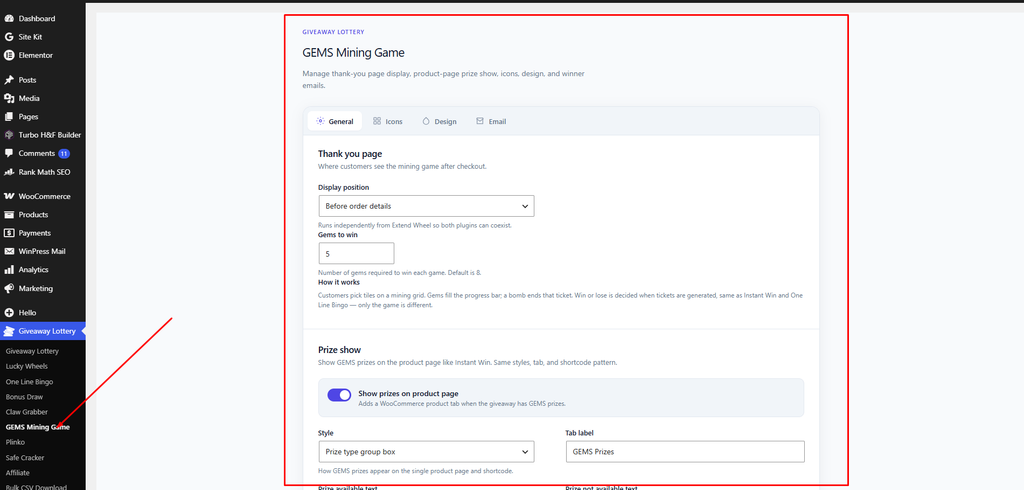
- Global settings: Giveaway Lottery → GEMS Mining Game
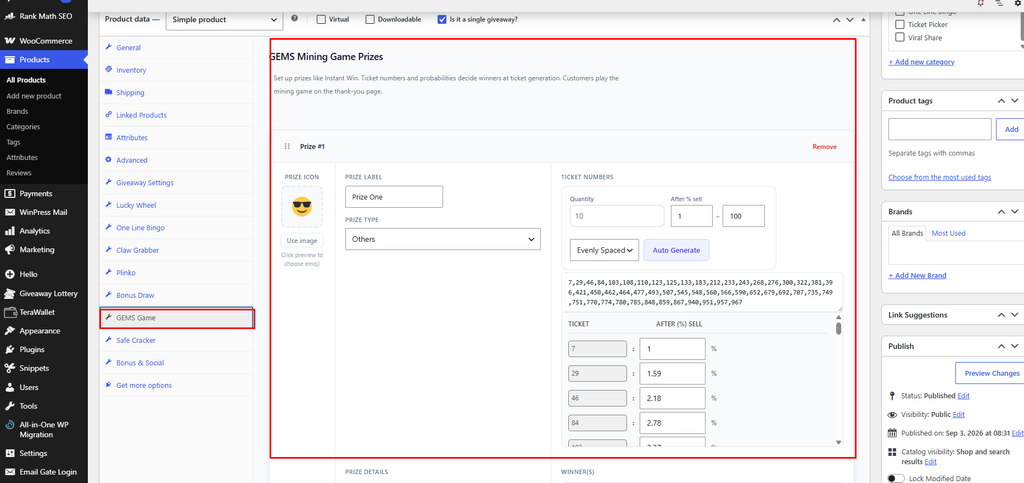
- Per-product prizes: the GEMS Game tab on the product
GEMS-Specific Settings
- Gems to win (General tab) — how many gems must be found to win, 3–12 (default 8).
- Grid size (Design → Motion) — 4 to 6 (default 5×5).
- Auto pick delay (ms) (Design → Motion) — speed of auto-play (default 350).
- Game icons (Icons tab) — the gem and bomb icons (defaults: 💎 gem, 💣 bomb).
- Theme (Design → Colors) — Dark or Light, plus an accent color.
- Inside Instant Win toggle: “Enable GEMS inside Instant Win”.
Shortcodes
Show the prize list on any page:
[geg_gems_prizes]Pro tip: A smaller “Gems to win” target on a larger grid makes wins feel quick and satisfying; a higher target builds more tension before the reveal.