Admin Tools & Analytics
Products List — Ticket Column
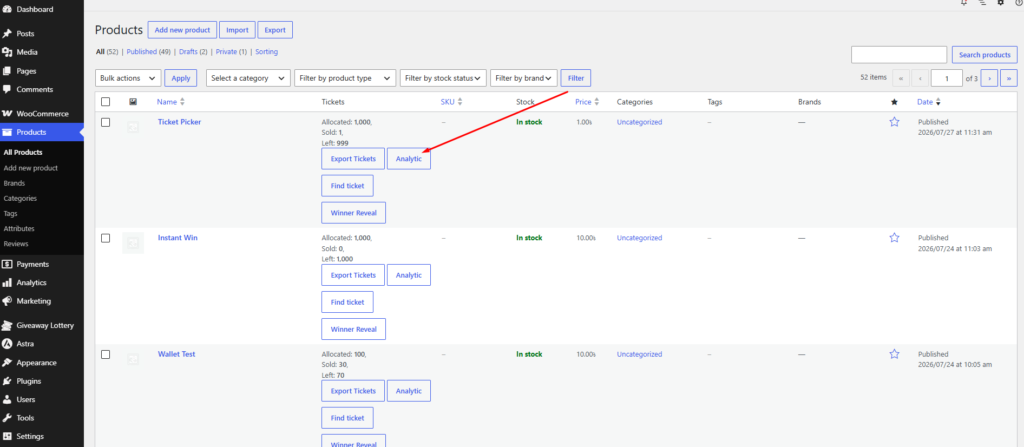
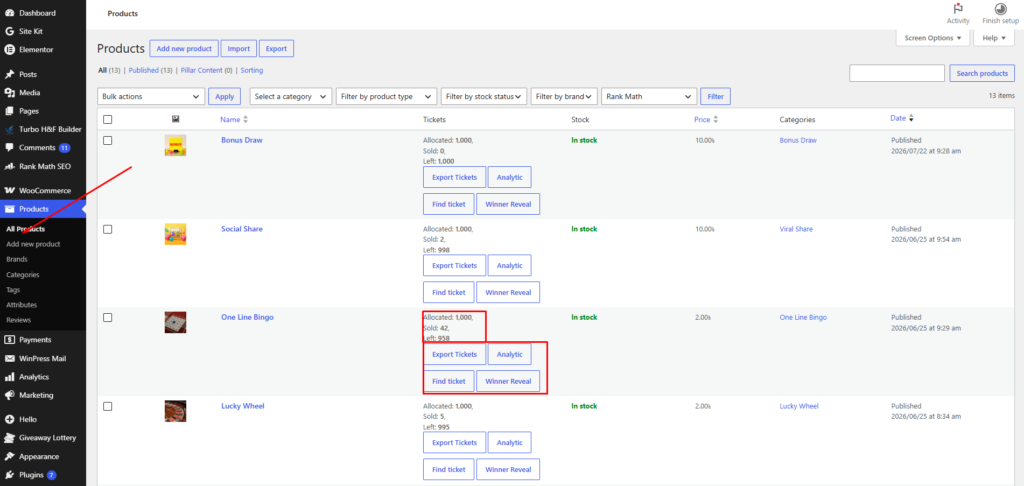
Every giveaway product in Products shows:
- Allocated — Total tickets in the pool
- Sold — Tickets purchased
- Left — Tickets still available
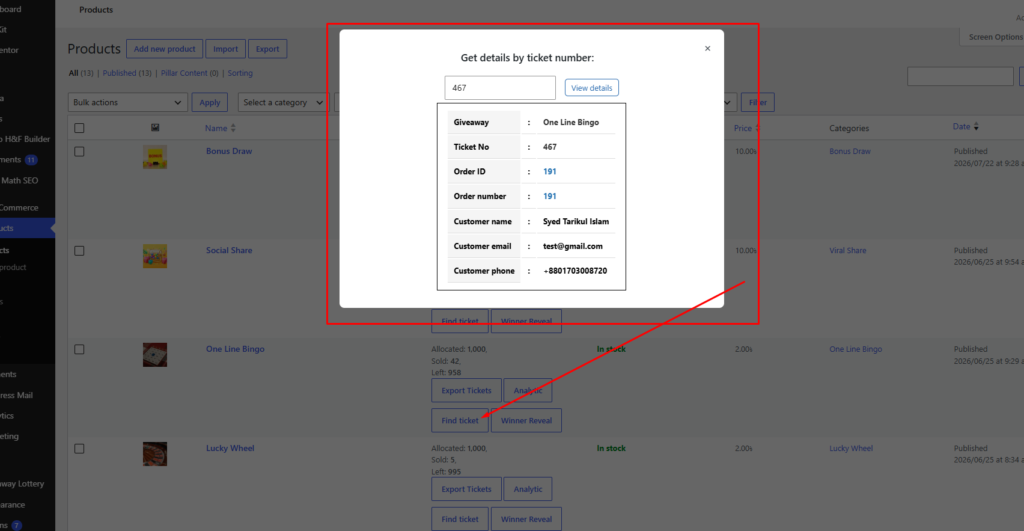
Action links: Export, Analytic, Find Ticket, Winner Reveal
Find Ticket
Click Find Ticket on any giveaway product → enter a ticket number → see customer name, email, order details, and win status.
Analytics Dashboard
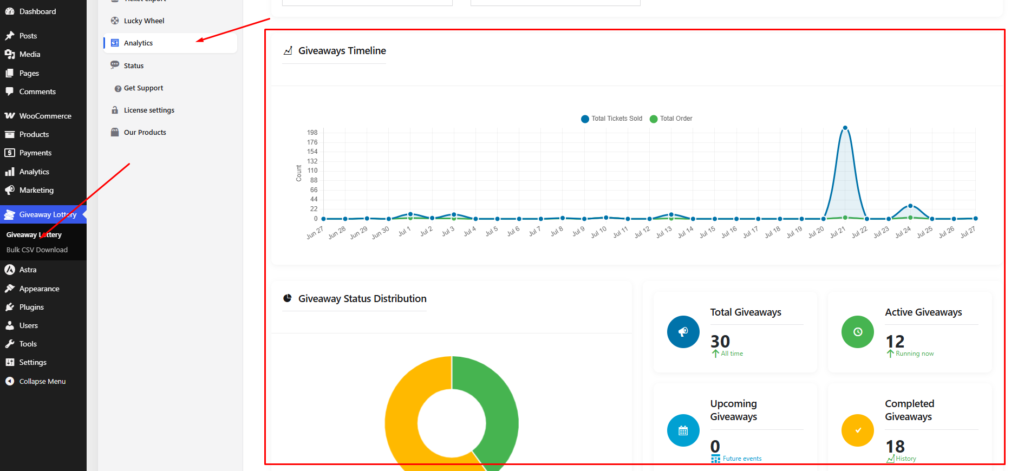
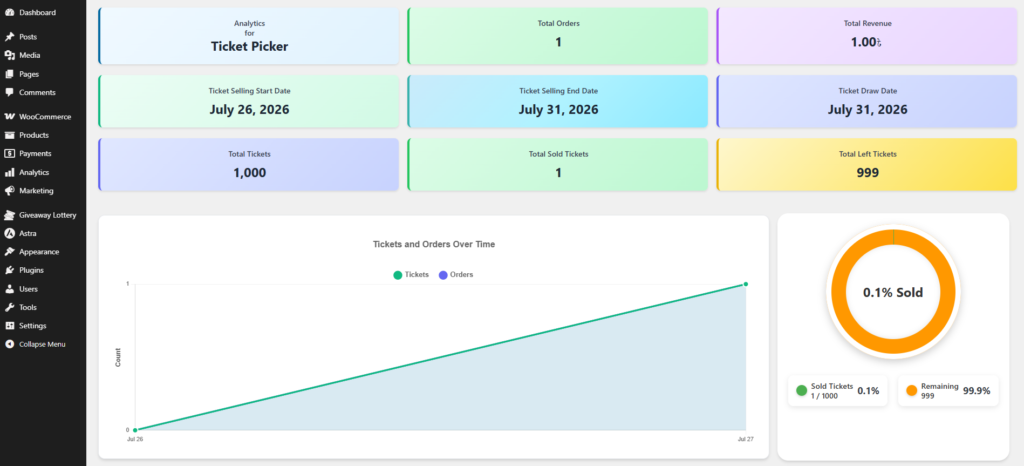
Go to Giveaway Lottery → Analytics tab for store-wide stats. For per-product analytics, click Analytic from the Products list.
- Total sales and revenue
- Number of orders and participants
- Pro: pie charts and line graphs showing trends over time