Quiz / Question & Answer Section
Add interactive questions on the product page before customers can add tickets to cart. Use this for quiz-style giveaways, skill-based contests, or collecting information.
Step-by-Step Setup
- Edit your giveaway product.
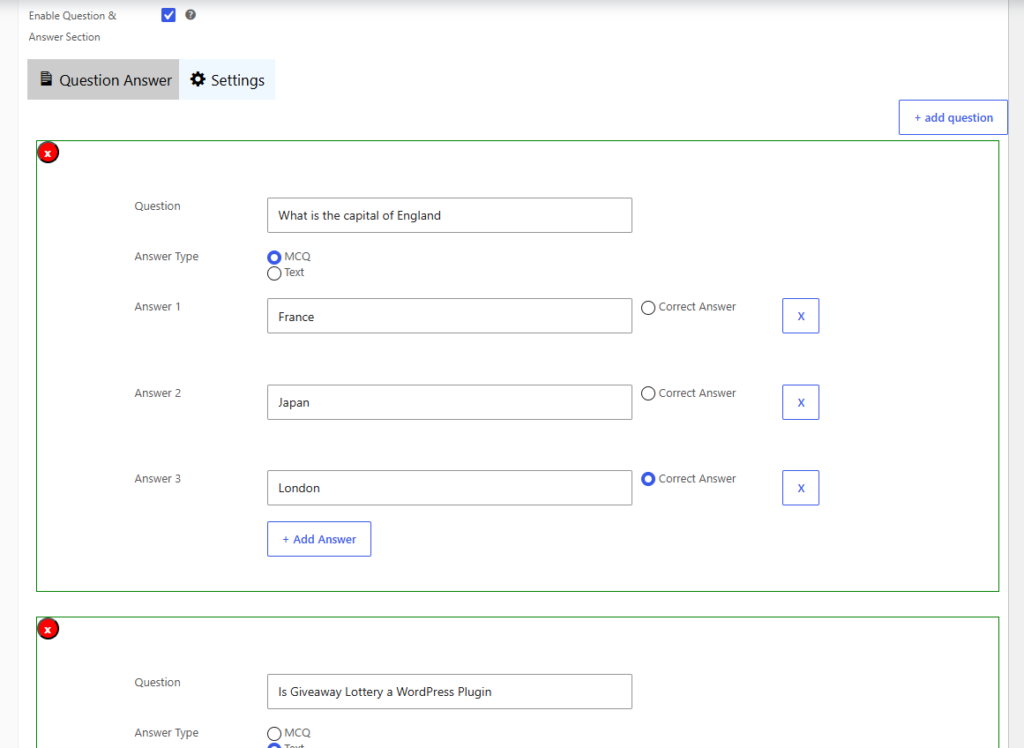
- In Giveaway Settings, check Enable Question & Answer Section.
- Click Add Question.
- Choose question type:
- Multiple Choice (MCQ) — Customer picks one answer; you can mark a correct answer for quiz contests
- Text — Customer types a free-text answer
- Enter the question text and answer options.
- Add more questions if needed.
- Save the product.
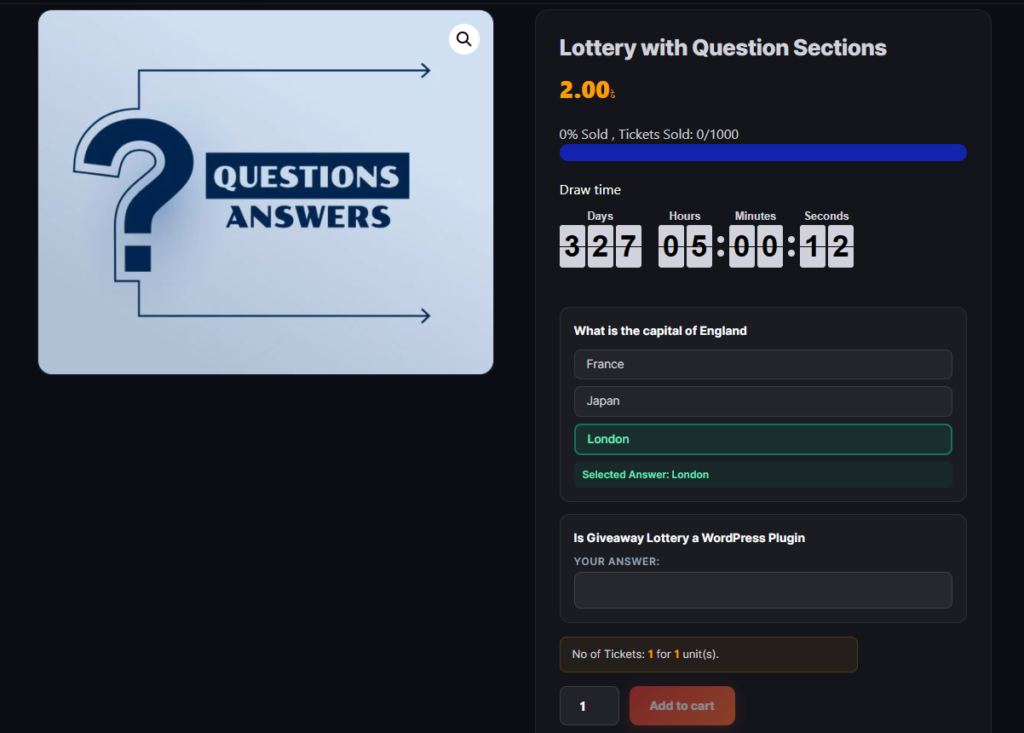
Customer answers are saved with their order and visible in the admin order details and My Account.